Organize an edit with layers
Layer groups organize a document, blend modes change how layers combine, and clipping masks constrain content to a layer below. Pixel and vector masks provide different ways to work with soft edges and path-defined outlines.
The project also supports adjustment layers, smart objects and smart filters. Capabilities depend on the current release; verify an important document using a copy before committing to a workflow.
Adjust color while keeping the source
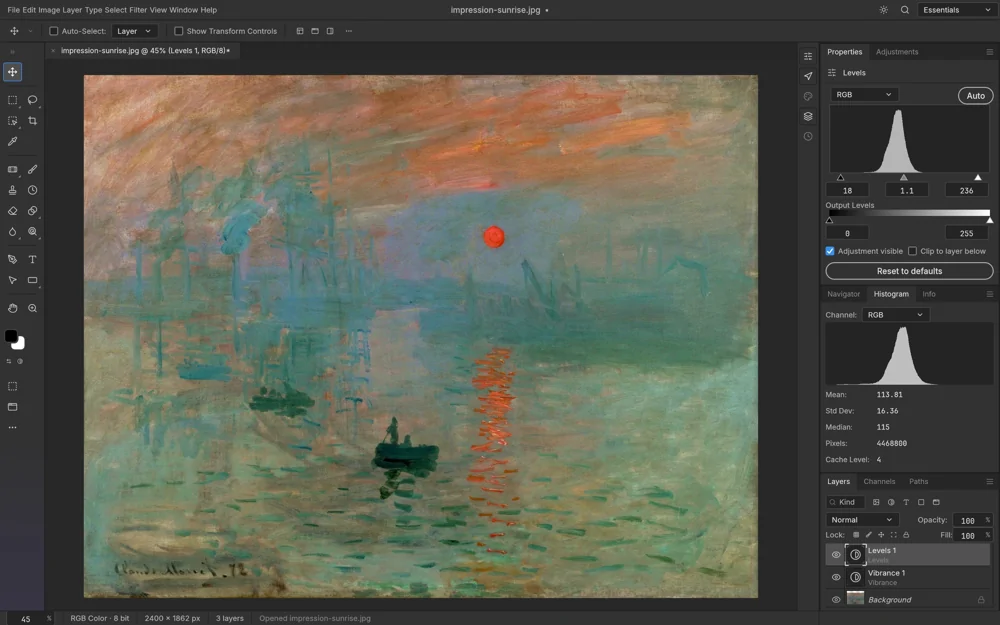
Curves, Levels, Vibrance and Hue/Saturation can be used as adjustment layers. They retain adjustment parameters instead of directly overwriting the underlying pixels, making it possible to revise, reorder or disable an edit.
A mask on an adjustment layer restricts a color change to part of the image. The live histogram helps explain tonal distribution, while the project also provides ICC color management and higher-bit-depth document support.
Type, brushes and vectors
Point and paragraph text remain editable. Character and Paragraph controls adjust font choices, size, spacing and alignment. Layer styles can be applied to text as well as other layer content.
The brush engine provides dynamics and pressure-related settings. Shape, Pen and path tools handle vector outlines; selection tools include marquees, lassos and the Magic Wand.
Working documents and finished images
PSD and PSB support working-document interchange. PNG, JPEG, TIFF and WebP serve different output needs; they do not all preserve the same layers, color data or bit depths. Choose a format according to what the next application needs.
The native desktop app is written in Rust and uses wgpu for canvas compositing. CLI and control interfaces support automation, while the graphical editor can be used independently for local, offline work.